
VideoKidnapper
Download, trim, and caption clips into polished GIFs or MP4s — fully offline, no watermark, no account.
Free & open source · Apache-2.0 · On the Microsoft Store · Windows + Linux
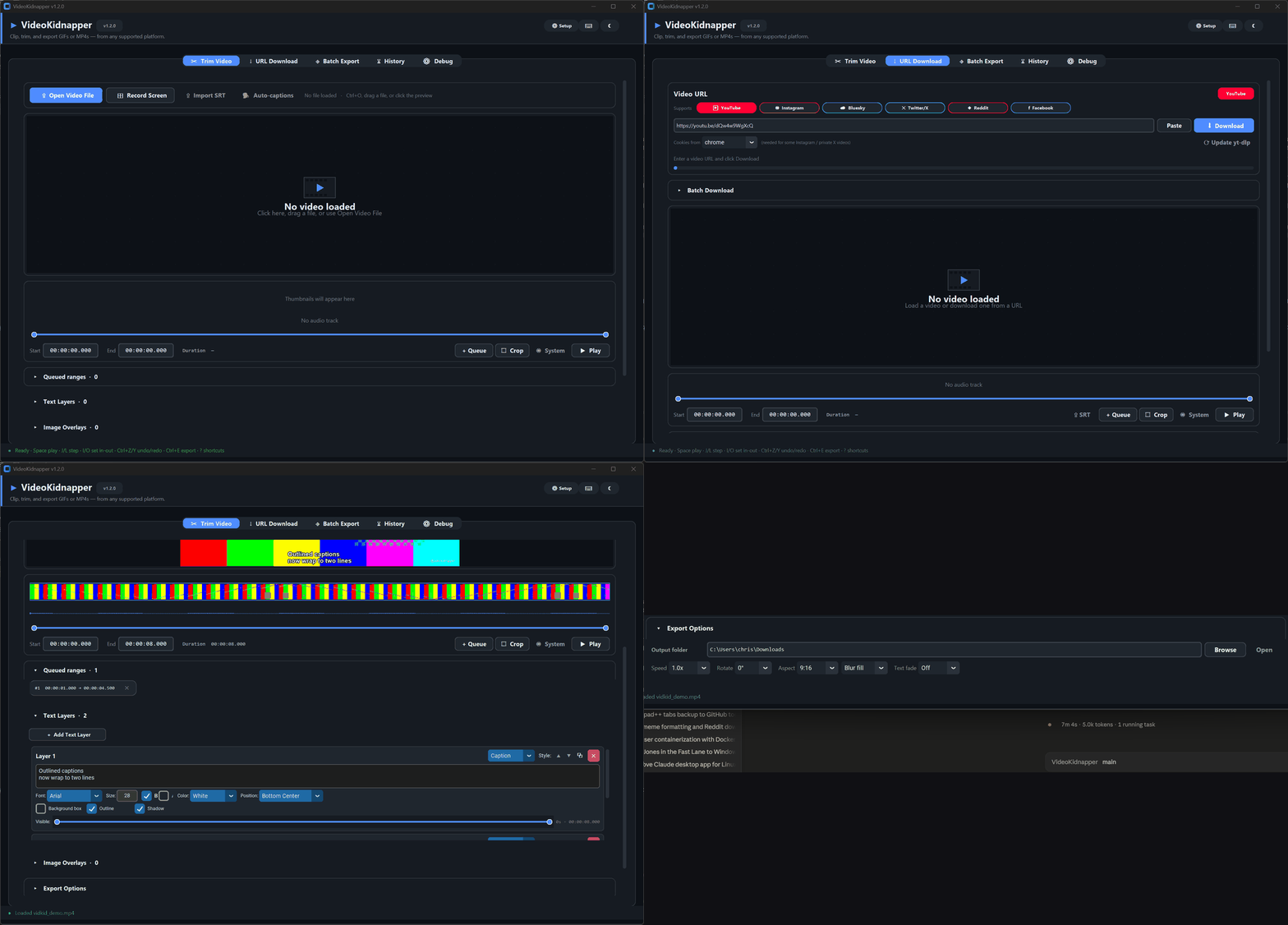
Download, trim, and caption clips into polished GIFs or MP4s — fully offline, no watermark, no account.
Free & open source · Apache-2.0 · On the Microsoft Store · Windows + Linux
One app handles the whole trip: grab the clip, cut it, caption it, and export something that looks right on every platform — without your video ever leaving your machine.
Paste a link from YouTube, Instagram, X/Twitter, Reddit, Bluesky, or Facebook. Batch queues, automatic retries with resume, and one-click yt-dlp updates keep it working.
Queue any number of cuts from one source with a thumbnail strip, live waveform, and frame-accurate in/out points — export separately or concatenate with transitions.
Text layers with outline, shadow, bold/italic, multiline wrap, per-layer timing and fades. What you see in the preview is exactly what ffmpeg exports.
One click transcribes the trim range into time-synced caption layers. SRT/VTT import works too — drop the file, get layers.
Watermarks, reaction stickers, animated GIF overlays — drag them anywhere on the frame with per-layer scale, opacity, and timing. Paste straight from the clipboard.
Dither algorithm, motion-weighted palettes, and loop control — tuned two-pass encoding instead of the muddy default every other tool ships.
16:9 → 9:16 with the blurred-background fill look (or a clean crop), aspect presets for every platform, plus speed, rotate, mute, and color grading.
NVENC, QuickSync, VideoToolbox, and AMF are probed automatically with clean software fallback. Screen recording is built in, too.
No upload, no account, no telemetry, no watermark. Apache-2.0 open source with a plugin API — your clips stay on your disk.
No Python required for any of these. Latest release on GitHub.
Windows 10/11, 64-bit
Microsoft Store Installer (Setup.exe) Portable .exeMicrosoft Store is the easiest — signed by Microsoft (no security warning) and auto-updates. The installer adds a Start Menu entry and clean uninstall; the portable build is a single double-click file. FFmpeg auto-installs on first launch.
Ubuntu 22.04+, Debian 12+, Fedora 36+, Bazzite, SteamOS
AppImage (FFmpeg included) .deb packageThe AppImage runs anywhere — including immutable distros like Bazzite. Debian/Ubuntu users can also add the APT repo below for automatic updates.
Pick whichever style fits your distro. Every route gives you the same app.
wget https://github.com/AES256Afro/VideoKidnapper/releases/latest/download/VideoKidnapper-x86_64.AppImage
chmod +x VideoKidnapper-x86_64.AppImage
./VideoKidnapper-x86_64.AppImage
FFmpeg is bundled — nothing else to install. For an app-menu entry and icon, add it with Gear Lever.
sudo install -d /etc/apt/keyrings
curl -fsSL https://aes256afro.github.io/apt/videokidnapper.asc | sudo tee /etc/apt/keyrings/videokidnapper.asc > /dev/null
echo "deb [signed-by=/etc/apt/keyrings/videokidnapper.asc] https://aes256afro.github.io/apt stable main" | sudo tee /etc/apt/sources.list.d/videokidnapper.list
sudo apt update && sudo apt install videokidnapper
One-time setup; new versions then arrive through your normal sudo apt upgrade.
wget "$(curl -fsSL https://api.github.com/repos/AES256Afro/VideoKidnapper/releases/latest | grep -o 'https://[^"]*_amd64\.deb')"
sudo apt install ./videokidnapper_*_amd64.deb
sudo apt install python3-pip python3-tk ffmpeg xclip
pip install "videokidnapper[all]"
videokidnapper